In the world of streaming, finding the right app can be a game changer. I’ve personally tested numerous applications to determine which one stands out for delivering a seamless experience. After extensive hands-on evaluation, I can confidently say that IPTVX is my go-to choice for smooth streaming.
This app not only boasts a polished interface but also integrates robust features like EPG support and iCloud synchronization across devices. With its ability to handle various formats, including M3U and Xtream Codes API, it ensures a user-friendly experience. Whether you’re watching in HD or 4K, IPTVX consistently performs without interruptions.
Throughout this article, I will share my insights on why IPTVX is a top contender for users seeking a reliable streaming solution. From its impressive features to my personal setup tips, you’ll discover everything you need to know for an optimal experience.
Key Takeaways
- IPTVX offers a user-friendly interface and robust EPG integration.
- Extensive testing shows it delivers smooth playback with minimal buffering.
- The app supports various formats, enhancing the viewing experience.
- iCloud sync allows for seamless access across multiple devices.
- My personal setup ensures optimal performance for 4K and HD streaming.
Why Apple TV is the Ideal Device for IPTV Streaming
Selecting the right technology is essential for a seamless IPTV experience. With its powerful hardware and user-friendly interface, Apple TV stands out as a top choice for streaming. IPTV, or Internet Protocol Television, fundamentally changes how we access content. Instead of relying on traditional cable or satellite, IPTV delivers channels and on-demand shows over the internet.
Overview of IPTV Technology
IPTV allows users to enjoy both live channels and on-demand content without the need for bulky hardware boxes. This flexibility is a game changer for many viewers. By utilizing internet connectivity, IPTV provides a more versatile and accessible way to watch television.
Advantages of Using Apple TV with IPTV
The latest Apple TV models come equipped with impressive processing power. This ensures smooth playback of high-bitrate 4K streams without any stuttering. Additionally, the clean tvOS interface makes navigating through various IPTV apps a breeze.
- Apple TV features dual-band Wi-Fi and Gigabit Ethernet, providing stable connections for live channels and video on demand.
- The curated App Store offers a selection of vetted IPTV apps, reducing the risk of downloading poorly optimized software.
- iCloud integration allows seamless synchronization of favorites and watch history across all Apple devices.
- The Siri Remote’s touch surface simplifies channel switching and movie navigation.
My Personal Experience Combining Apple TV with IPTV Services
In my experience, Apple TV consistently outperforms built-in smart TV apps and streaming sticks. The speed and reliability of the device enhance my viewing experience significantly. Finding the right IPTV app for Apple TV is just as important as selecting a reliable provider. The right app can make daily use enjoyable and efficient.
For users in the United States, Apple TV’s robust app ecosystem makes it an ideal hub for cord-cutting. The combination of hardware and software creates a powerful streaming solution that caters to various viewing preferences.
Key Features to Look for in the Best IPTV Player Apple TV Apps
When it comes to selecting an IPTV app, certain features can significantly enhance your viewing experience. Knowing what to look for ensures that you choose an app that meets your needs and provides a seamless streaming experience.
Support for M3U Playlists and Xtream Codes APIs
Support for M3U playlists and Xtream Codes APIs is non-negotiable. These formats are widely used by many IPTV providers to deliver channels and video-on-demand (VOD) libraries. An app that supports these options ensures you have access to a vast array of content.
Electronic Program Guide (EPG) Integration
The electronic program guide (EPG) is the backbone of a great IPTV experience. I look for apps that offer a responsive EPG grid, accurate program data, and search functionality. Reminder options are also a plus, as they help me keep track of my favorite shows.
Catch-up, VOD, and Multi-Device Sync Capabilities
Catch-up and VOD capabilities transform an IPTV app from a simple live TV viewer into a comprehensive entertainment hub. This feature allows me to watch missed shows and movies on demand. Additionally, multi-device sync via iCloud keeps my favorites and playlists consistent across my iPhone, iPad, and Apple TV.
User Interface and Playback Performance
The design of the user interface directly impacts daily satisfaction. I prioritize apps with intuitive navigation, fast channel switching, and visually appealing layouts that feel native to tvOS. Furthermore, playback performance must be rock-solid, supporting modern video formats like Dolby Vision and HDR10.
Lastly, I evaluate how each app handles large playlists. Browsing and searching should remain snappy without lag, even with thousands of channels. Subtitle and multi-audio track support are essential for international content, making it easy to switch between them.
Top IPTV Player Apple TV Apps I Recommend for Smooth Streaming
Exploring the top apps for streaming can elevate your viewing experience. Each of these applications has unique features tailored to different user needs. Here’s a look at my top recommendations for IPTV apps that deliver smooth and reliable streaming.
IPTVX — The Original and Feature-Packed App
IPTVX stands as my top recommendation because it delivers a polished and feature-complete experience on Apple TV. With support for M3U and Xtream Codes, this app offers a stunning EPG grid, iCloud sync, and is actively maintained.
One standout feature is its auto EPG detection, which automatically finds and assigns program data from your provider’s server. This saves you from manual configuration headaches, making it an excellent choice for users who want a hassle-free experience.
iPlayTV — Lightweight and Easy to Use
iPlayTV earns its spot as the lightweight champion. It offers a one-time purchase model that appeals to users who want to avoid recurring subscription fees. This app features a clean EPG timeline and fast playlist loading, making it reliable even with large channel lists.
I recommend iPlayTV for beginners and households that need a straightforward, reliable app without the complexity of advanced features.
GSE Smart IPTV — A Power User’s Choice
GSE Smart IPTV is my pick for power users who demand flexibility. This app supports multiple playlist formats and offers external player support, allowing for granular control over subtitle and audio track selection.
The flexibility of GSE Smart IPTV extends to its compatibility across Apple devices, making it a versatile choice for those who stream on multiple screens.
Smarters Player Lite — Provider-Recommended Classic
Smarters Player Lite remains a provider-recommended classic, especially for users whose IPTV service supports the Xtream Codes login method. This app provides a familiar layout with dedicated sections for Live TV, VOD, and series, which many users find intuitive and easy to navigate.
In my experience, Smarters Player Lite offers a solid combination of features, making it a great choice for those looking for a straightforward IPTV app.
To help you make an informed decision, my comparison table weighs each app’s support for M3U, Xtream Codes, EPG quality, VOD capabilities, ease of use, and pricing model.
How to Set Up Your Favorite IPTV Player on Apple TV
Setting up your IPTV app on Apple TV is a straightforward process. You can enjoy your favorite channels and content in just a few simple steps. Here’s how to get started.
Installing the App from the tvOS App Store
First, you need to install the IPTV application directly from the tvOS App Store. This method eliminates the need for sideloading or complex workarounds, making it easy for users.
Simply open the App Store on your Apple TV and use the search function to find apps like IPTVX, iPlayTV, or GSE Smart IPTV. I recommend checking the ratings and update history before downloading to ensure you choose a reliable app.
Adding Playlists via M3U URLs or Xtream Codes
Once the app is installed, open it and click on Add Playlist. The most common method for adding playlists is through M3U URLs. You can easily copy this link from your provider’s email or dashboard and paste it into the app’s setup screen.
If your provider uses Xtream Codes, enter the server URL, username, and password provided by your IPTV service. This will automatically populate your channels and VOD content.
Configuring EPG and Personalizing Your Viewing Experience
Configuring the Electronic Program Guide (EPG) is essential for a cable-like experience. You can manually add an EPG URL or rely on the auto-detection features available in apps like IPTVX.
Personalization options are also available. You can hide unwanted categories, reorder channels, and set up favorites for quick access to frequently watched content. This makes navigating through your selections much easier.
Additionally, multi-device synchronization is a game-changer. With iCloud sync in IPTVX, your playlists and favorites remain identical across all your Apple devices without any extra effort.
For the most stable 4K streaming, I recommend using a wired Ethernet connection, especially during peak hours when Wi-Fi congestion can cause buffering. This will ensure a smooth viewing experience.
Lastly, if you manage multiple playlists, take advantage of fast playlist switching and enable background updates to keep your content fresh without long loading times. Be mindful of common setup pitfalls, such as incorrect URL formatting and expired playlist links, and don’t hesitate to reach out to your provider’s support for troubleshooting assistance.
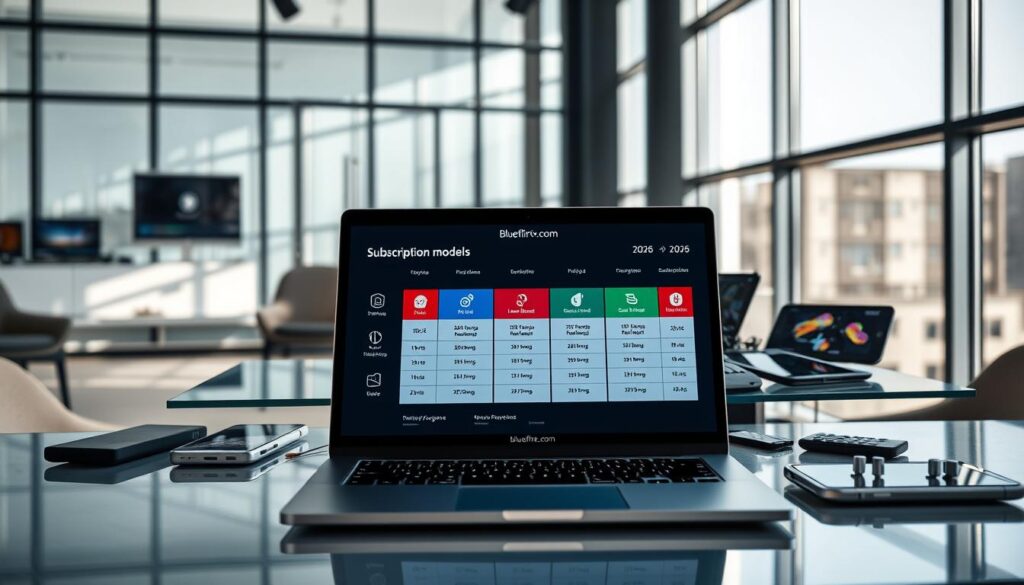
Subscription Models and Pricing: What to Expect in 2026 and Beyond
Navigating the subscription landscape for streaming services can be complex. With numerous options available, understanding the differences between free, one-time purchase, and subscription-based apps is essential for maximizing your viewing experience.
Free Versions vs. Paid or Subscription-Based Apps
Many IPTV apps offer free versions, but these often come with significant limitations. For instance, IPTVX’s free tier is notorious for interrupting viewing with frequent in-app purchase pop-ups, making it impractical for regular use. On the other hand, some apps like iPlayTV require a one-time purchase, providing a more stable experience without ongoing fees.
Value and Features Comparison Among Popular IPTV Players
When evaluating IPTV services, it’s important to compare their features against their pricing. Subscription models can be justified if the developer consistently delivers meaningful updates. For example, IPTVX Premium users appreciate regular additions like program reminders and custom EPG assignments. This ongoing support can enhance the overall value of the service.
Moreover, I analyze the value proposition of each app by weighing its feature set—like EPG quality and sync capabilities—against its price point. Users should also consider how many devices they stream on. Apps with iCloud sync and family sharing can justify a higher price for multi-device households.
My Subscription Tips for Optimal Streaming
To make the most of your subscription, take advantage of free trials where available. This allows you to evaluate whether premium features, such as parental controls and external player support, are worth the ongoing cost. It’s also crucial to budget for both your IPTV service provider and the player app to achieve the best streaming experience.
Looking ahead to 2026 and beyond, the pricing landscape may evolve. More apps could shift toward subscription models to fund continuous development. For users seeking a reliable setup without overspending, I recommend starting with a solid one-time purchase app and only upgrading if advanced features become necessary.
Troubleshooting Common Issues with IPTV Players on Apple TV
Troubleshooting common issues can greatly enhance your experience with streaming applications. Many users encounter challenges that can hinder their enjoyment. Here are some effective solutions to common problems.
Buffering and Playback Stability Tips
Buffering is often the most frustrating issue for users. To tackle this, I recommend using a wired Ethernet connection or a 5GHz Wi-Fi network. This can significantly improve stability.
Additionally, restarting your router weekly can help maintain optimal performance. If you notice frequent buffering, consider reducing your stream quality from 4K to HD during peak hours. This simple adjustment can make a noticeable difference.
It’s also essential to understand that playback stability often depends on your provider’s server load. If issues persist, it might be worth checking if the problem lies with the app or the provider.
Parental Controls and Channel Management
For families, parental controls are crucial. Setting up PIN protection can help manage what content is accessible. However, some apps may still display adult channels in the guide, even when locked. This limitation is something to be aware of when choosing an app.
Effective channel management features are also important. Hiding categories, reordering channels, and creating favorites lists can help keep large playlists organized. These features make navigating through your selections much easier.
Playlist Management and Background Updates
Managing multiple playlists efficiently can enhance your experience. Using an M3U editor allows you to create personalized lists tailored to different family members. This way, everyone can enjoy their preferred content without confusion.
Background playlist updates are a requested feature that would enable apps to refresh content seamlessly. This would eliminate the need for users to wait through loading screens every time they launch the app.
Fast playlist switching is another important aspect, especially for households with multiple viewing profiles. Some apps handle this better than others, so it’s worth exploring your options.
Lastly, keeping your IPTV app updated is crucial. Developers regularly release fixes for playback crashes, EPG reliability, and other focus issues on Apple TV. Regular updates can significantly enhance your overall experience.
Conclusion
Choosing the right app can make all the difference in your streaming journey. I reaffirm that IPTVX stands out as the top choice for seamless viewing, combining exceptional design, features, and reliability.
For those who prefer a straightforward approach, iPlayTV is an excellent second option, offering a no-fuss experience with a one-time purchase.
The key to a satisfying IPTV experience lies in pairing a high-quality app with a reputable provider. This combination ensures access to thousands of channels in HD and 4K.
With its powerful hardware and curated App Store, Apple TV is the ideal platform for IPTV, outperforming alternatives like Roku and Firestick.
Ultimately, the best app is the one that meets your unique needs. I encourage you to explore free trials, test various options, and invest time in setup for the smoothest streaming experience possible.
Stay updated with developments in the app landscape, as new features and improvements continue to enhance your viewing experience.
With the right app and configuration, Apple TV can become a robust hub for live TV, effectively replacing traditional cable.
For more information on a compatible app, check out Swiptv.
